by Henry Abenaim | Oct 25, 2018 | Blog, Salesforce Tips
When did you first hear about “the cloud” for technology? What started off as a bit of a buzzword for new technology has now become pretty ubiquitous as cloud-based systems are pretty much the new standard.
So when it comes to your CRM software, shouldn’t you also be in the cloud? Not everyone has switched over, and with something as critical as the entire system your business runs on, it’s no surprise that some people are hesitant to change.

One drawback with older systems is that you are often working out of spreadsheets, and various disconnected local systems. While this method doesn’t necessarily mean a business can’t succeed, it may not give you the modern advantages you want, especially as a small to medium-sized business.
At CloudMyBiz (as the name suggests) we are all about bringing people and businesses onto the cloud. We think it really is the best solution for any sized company, no matter what industry or vertical they are in. So with that in mind, here are our top 7 benefits of using a cloud-based system:
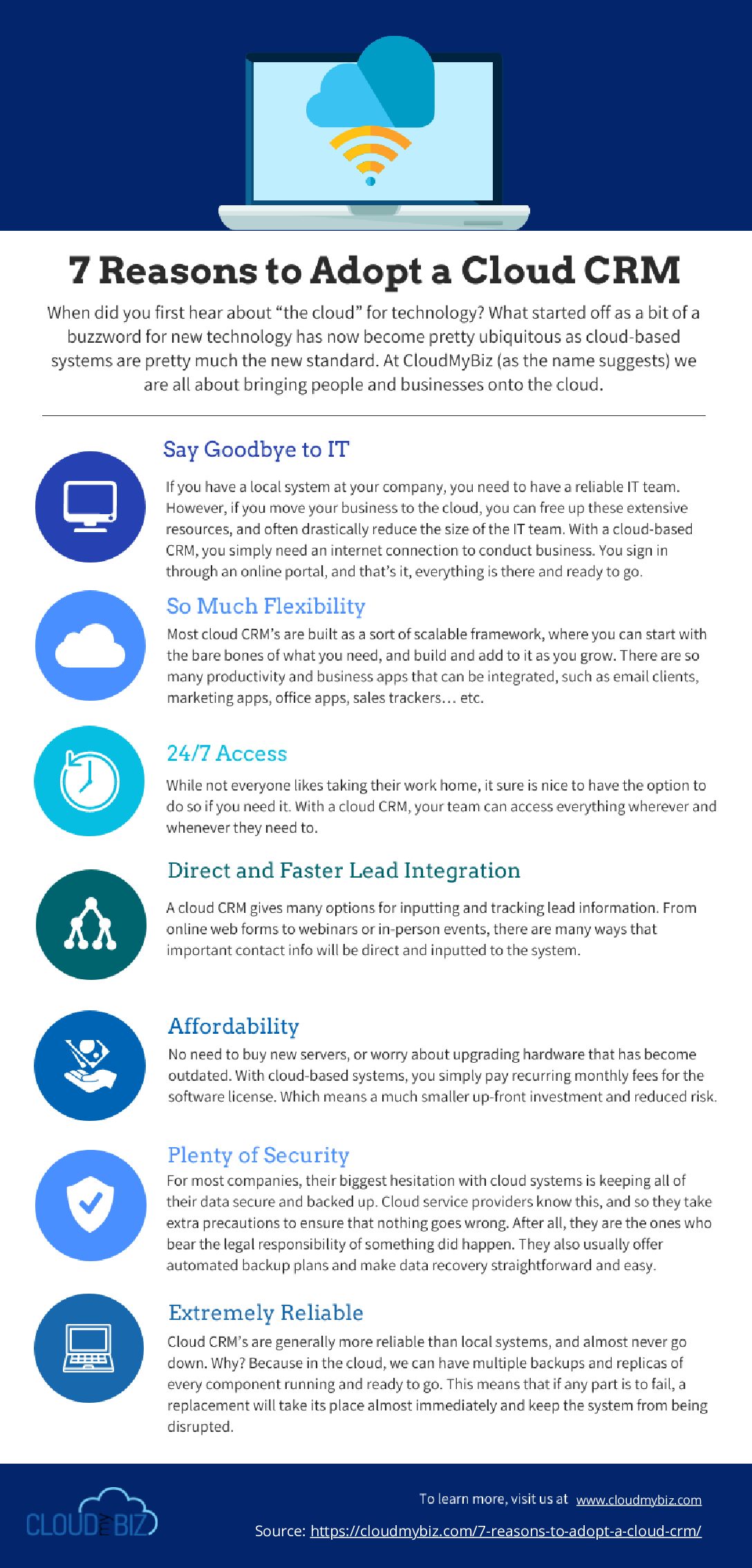
1. Say goodbye to IT
If you have a local system at your company, you need to have a reliable IT team. They have a number of essential tasks to keep everything running smoothly, including:
- Software installation and updates
- Security measures
- Hardware maintenance and upgrades
- Routine backups with redundancy across locations
- Application integration and management
However, if you move your business to the cloud, you can free up these extensive resources, and often drastically reduce the size of the IT team. With a cloud-based CRM, you simply need an internet connection to conduct business. You sign in through an online portal, and that’s it, everything is there and ready to go. No servers, no hardware, and no physical office space needed to house and store your data.
2. So much flexibility
When you buy a hardcoded system that sits on a local server, it doesn’t change much. And when you do want it to change, you need to have your IT team write a bunch of code, test, and then deploy.
On the other hand, most cloud CRM’s are built as a sort of scalable framework, where you can start with the bare bones of what you need, and build and add to it as you grow. There are so many productivity and business apps that can be integrated, such as email clients, marketing apps, office apps, sales trackers… etc. If you are an auto parts manufacturer, there are apps and integrations just for you. Same goes for lenders, restaurants, shipping industry, and on and on.
The flexibility of a cloud CRM allows you to use the best products on the market for each respective task, and have them all sync at the same central hub. And of course, the CRM itself can usually be customized by a qualified partner if you need more customization than just adding on a couple of apps.
The icing on the cake is that these upgrades happen just as fast as you can click “download and install”. So when business is moving faster and faster, your CRM can move just as fast and accommodate whatever changes the future may hold.
3. 24/7 access
While not everyone likes taking their work home, it sure is nice to have the option to do so if you need it. With a cloud CRM, your team can access everything wherever and whenever they need to.
This can be quite a game changer when it comes to staying on top of any essential deal or communication. When you have a cloud CRM, you have access to your central database at all times, meaning you can truly take control of your business and make it work for you.

4. Direct and faster lead integration
For sales teams, having a quality CRM can revolutionize their whole process. In 2018, it’s probably safe to say that a lot of lead prospecting and research is done online. Not to mention that just about every business has a website, and wants to attract potential customers to their website through marketing.
A cloud CRM gives many options for inputting and tracking lead information. From online web forms to webinars or in-person events, there are many ways that important contact info will be direct and inputted to the system. Once the info is uploaded, you can build out assignment and notification rules based on all sorts of specifications, from the region to the language, to ensure that none of these hard-won leads falls through the cracks.
5. Affordability
As we noted earlier, cloud CRM’s don’t require any significant investment in hardware. This can save a lot of money, especially for any company that wants to scale and scale quickly.
No need to buy new servers, or worry about upgrading hardware that has become outdated. With cloud-based systems, you simply pay recurring monthly fees for the software license. Which means a much smaller up-front investment and reduced risk.
6. Plenty of Security
This is one of those cases, where, because there is a perceived vulnerability, that you may actually get overcompensation to negate the problem.
For most companies, their biggest hesitation with cloud systems is keeping all of their data secure and backed up. Cloud service providers know this, and so they take extra precautions to ensure that nothing goes wrong. After all, they are the ones who bear the legal responsibility of something did happen. They also usually offer automated backup plans and make data recovery straightforward and easy. So in the end, cloud services usually have more security measures in place than an average local IT room.
7. Extremely Reliable
Having your entire system crash is the stuff of nightmares. And while it may seem risky not having your system physically located where you can keep an eye on it, this is just a mental concern more than anything.
Cloud CRM’s are generally more reliable than local systems, and almost never go down. Why? Because in the cloud, we can have multiple backups and replicas of every component running and ready to go. This means that if any part is to fail, a replacement will take its place almost immediately and keep the system from being disrupted.

So, with all of these amazing reason, the only question left is, why wouldn’t you switch to a cloud CRM?
-Ryan and the CloudMyBiz Team
Ready to switch to a cloud-based CRM? Already have Salesforce but need some improvements?
Whatever your needs, we have you covered. Contact one of our Salesforce experts and we will find you a better business solution.
Contact Us

by Henry Abenaim | Oct 10, 2018 | Blog, Salesforce Tips
Data Migration can be a stressful and challenging process, even for seasoned professionals. The more complex the system, and the longer you have been collecting data, the harder it can be to accurately understand, process and transfer all your essential business data.
Over the years, maybe you changed some of your business processes or added a number of new apps. Either way, the way you handle data can change over time. Not to mention that different people simply are more thorough at inputting data than others. Because of all of these factors, data migration often gets the reputation of being quite a headache.
However, when working with any new implementation, your data migration stage is crucial. Small hiccups can be annoying and cause delays, while significant problems can potentially cause the implementation to fail completely. So with all of this in mind, and in the interests of everyone migrating data out there, we want to present a few tips to help ensure a successful data migration.

1. Start by deciding on what data you want to migrate
Especially if you are moving to a new CRM or another system, do yourself a favor and start fresh. Don’t just transfer everything. You wouldn’t throw all your old junk and trash from your old car into a new one, so don’t do it with your data either.
Early on in the project, you should decide exactly what it is you really want to keep, and how far back you need to go. If you have been in business for 20 years, is it really going to be that helpful to know open and close dates for accounts in 1998? Was your system even digital then? Don’t be afraid to clip out fields and data that you just don’t use anymore.
Also, because you are already taking the time to look at your business process, you can also take this opportunity to identify what fields or data you don’t currently have but would like to begin adding and tracking.
2. Make realistic time estimates
Data migration is complex and time-consuming. Don’t assume it will be quick and easy, no matter how “simple” you think your database is. There will almost always be a number of hidden challenges and slowdowns along the way that you weren’t able to foresee when you got started.
What takes so long? Well for starters, some amount of time is needed for every aspect of every field, including understanding the field, mapping the source field to the target field, configuring or building transformations, performing tests, measuring data quality for the field, and so on.
In particular, understanding the source data – which is likely the most important part– cannot be automated by tools, but requires analysts to take time going through the list of fields one by one.
Long story short, making an accurate estimate can be challenging, but no matter what you come up with, make sure you are generous with your time so you have realistic expectations going into the project.
3. Take a look at your data quality
Having poor, or ‘unclean’ data can be one of the biggest issues you can encounter during data migration. For example, incorrect formatting on phone numbers or dates can throw off the whole process via mapping errors. And while it may not make the migration fail, let’s be honest, things like N/A in a name or company field doesn’t really do much good for anyone.
Yes, it can be a lot of work to look into all of the different data fields and fix any outstanding issues, but if you don’t, the whole data migration may fail. So, it should go as a given that you should get started cleaning your data ASAP, and give yourself plenty of time to do it right.
4. Involve the business team
So far we have been talking a lot about working with fields, but an essential ingredient here is to loop in your business people. You know, those people who actually use the fields in their everyday jobs. They are the ones who know the system’s ins and outs, and can best advise on what data to keep, what to get rid of and what can be done to make improvements.

A recommendation here is to run a test batch and let your business team look at the data through the new UI so they can really see and get a feel for how it works. Not only can your team see it in action, but you get to ensure that all fields are populated and all expected relationships are working. If all is good, then go forward with the rest of the data migration.
5. Get ready for long data loads
As great as Salesforce is, it does have a few drawbacks. One of them is slower speeds when it comes to moving data back and forth from the cloud.
Local databases with good hardware can move at lightning speeds, however, a Salesforce Cloud transfer has many factors that can slow down the process, such as the network speed, Salesforce API bottlenecks, and custom Salesforce code which can also limit loads and processing.
A common strategy is to batch your data loads to ensure successful transfers, smaller load times, and to avoid clogging up the entire processing bandwidth. Just imagine how upsetting it would be to be 90% of the way through a 2-week data load and to be hit by a power outage…
6. Document everything
Ironically, our final data migration tip is to create… more data! However, this data is essential. You should ideally document everything you do in the process of data migration so that if there are any changes to the project team or you need to move your data in the future, you will have a guide available.
What information should be documented?
- How did you decide which data to migrate / not migrate? And why?
- Lessons learnt, including how long it took to prepare your data for the migration. This way, if you move your data in the future you have a better idea of how much time to allow.
- What exactly have you had to do with the data to ensure it is migrated successfully?
- Note the data restrictions for the fields in both the existing system and the new system.
- Project timelines including milestones and key dates you achieved them.
- An issue log which includes any problems you came across.
- The relationships between the records (primary keys and foreign keys).
- The project team and their roles.
Hopefully, these tips have not only given you a better understanding of the data migration process but the next time you are moving all of your records, you can have a better, smoother and more successful project.
-Ryan and the CloudMyBiz Team

by Henry Abenaim | Oct 4, 2018 | Blog, Salesforce Tips
Here’s the situation: your business has a number of great products/services. You are doing a robust business. And you have a whole bunch of customers contacting your support team every day asking for help. Of course, you are happy to support your customers in any way you can, but the sheer volume of calls and messages is beginning to overwhelm your support team and causing other operational slowdowns. So what do you do? Salesforce Communities Cloud!

What is a Community Cloud?
Community Cloud is a Salesforce platform that gives companies the tools to create a branded online community to connect with customers, external partners and employees.
Customer communities can be used for many different needs, including:
- Support and feedback
- Qualifying leads
- Tracking revenue
- Discussion and collaboration
- Providing product information and training
- HR and IT information resources
The Salesforce Communities Cloud is a great addition to the Salesforce Service Cloud that can significantly streamline all of your service needs. Communities can function as many things: a portal, a help site, a support forum, and whatever your preferred iteration, Communities allows you to better engage and support your customer community. How so? Communities creates an interactive and secure online site where customers can log on to self-service any questions or issues they may have, access account information, or connect and collaborate with one another.
This has a couple of effects. First, it drastically reduces the number of cases your team has to handle. It gives your community an easy way to find solutions without sitting on hold for hours. Finally, it allows a better way to engage the community, increase support and build trust among your client base.
Getting Started
So now you might be thinking, yes, it sounds nice to have a vibrant and comprehensive online portal and community, but we don’t have the time or budget to create something like that! Good news, Salesforce Communities Cloud is designed to be easy to set up. In fact, many communities are up and running in as little as 30 days!
Communities come with a number of different, scalable templates to make development a breeze. No coding is necessary, custom components can easily be integrated and everything can be customized, on brand, and totally mobile-ready.
Finally, Communities comes built to seamlessly integrate with Salesforce CRM data, such as leads, accounts, activities, and opportunities. No time-consuming processes, or wonky integrations here.
Benefits of Communities Cloud

So now we come to the fun part. We have told you that the community cloud solves for a number of common service issues, but the community cloud is about more than just making things easier for your support and service teams. Below we have listed a few of the other benefits you can see from using Communities Cloud:
Improved Customer Relationships
You can populate your online hub with just about anything that will help your customers, such as tutorials, FAQ’s, databases of questions and answer and even allow them connect with each other and your company. The more resources and content-rich you get, the better your customers can have a self-guided experience that lets them find all the info they need! Not only does it deepen your relationship with the customer, but it builds trust, dependability, accessibility and improves customer loyalty in the long run.
Better Feedback
A hidden gem of Communities Cloud is that it allows you to research your products, and get all sorts of feedback and use cases directly from your customers!
By observing your community’s natural behavior, you can easily find out the biggest sources of satisfaction and dissatisfaction, what new features your base is hoping to see, and what issues or questions are the most common (pointing the way to items that should be fixed)
Save Money
Which part of management doesn’t like saving money?
In the end, providing quality customer service and support takes time and resources. So, by having a quality portal that lets customers self-solve their issues, you will free up many of these resources to be used elsewhere. This results in a significant reduction of expenses. For example, in England, it’s estimated that a popular online community for diabetes patients has saved the National Health Service over a million dollars each year in hypoglycemia cases alone.
Additionally, because a quality community hub better establishes your reputation, builds customer loyalty and increases engagement, companies often see an increase in sales and long-term customer retention as a direct result of activity within their community!
Who Should Use Communities Cloud?
An online community isn’t just for B2C companies. Just about anyone who is already using Salesforce Service Cloud will benefit from Communities. No matter your business, you can make your service and support much more pro-active and timely with Communities.
-Ryan and the CloudMyBiz Team
If a highly customizable community solution sounds like something that would help your business, drop us a line. CloudMyBiz works with you to develop and implement the best possible community, custom tailored to your business’ unique needs.
Contact Us

by Henry Abenaim | Sep 19, 2018 | Blog, Salesforce Tips
Today’s modern Salesforce administrator is someone who wears many hats. They are responsible for setting up applications, enabling new features, training users and more! Not only that, but admins are more and more filling roles that used to be filled by traditional IT departments, such as answering user questions, setting up reports and dashboards and configuring application customizations. Luckily, because Salesforce has been built with the mindset of ”clicks not code”, doing all of these things has never been easier.

All of that being said, you still need to choose your administrator wisely and make sure that you are providing them adequate support. Additionally, administrators themselves need training and guidance, to ensure they fully understand their role and are equipped to tackle the problems that come their way. Below, we have a couple of tips and thoughts that should help you achieve outstanding Salesforce CRM Administration, and set your business on the course for success.
Choosing an Administrator
Not everyone makes a good administrator. Let’s face it, there are some people who do fantastic work, but you wouldn’t trust them to organize a birthday party, even for your dog. Organizational skills and vocal leadership are important but most important is someone who can find the balance between meeting the needs of your users, and understanding the capabilities of the system. Below are a few more characteristics of great CRM admins:
- A solid understanding of your business processes
- Knowing how to build and maintain relationships within the team, groups and understanding how they all work.
- Be a bit of a business analyst. Having the ability to understand issues or change requests, and figure out how to bring them to life.
- Strong communication abilities. Willingness to stand up in front of the group, speak and motivate
Poor administration drags down just about everyone in the company and will have an especially negative impact on your Sales team. Not taking your administration seriously will likely lead to your Sales team underperforming, and will also leave your admins frustrated and themselves unsupported.

Make sure you invest in your administrator and provide them whatever Salesforce CRM training they may need. Alternatively, keep in mind that some customizations or jobs may be a little too complex or technical for your in-house admins, and you may need to bring on a certified Salesforce consultant and developer.
Support Staff
How many admins and/or business analysts do you need for your company? No, this isn’t a rhetorical question and has nothing to do with screwing in light bulbs. In fact, there are some pretty easy to understand guidelines for just how much administration you need, based on the number of people in your company. Of course, keep in mind that for more complex implementations, you may need additional resources above what is listed in the chart below.
| Number of users |
Administration resources |
| 1 – 30 users |
< 1 full-time administrator |
| 31 – 74 users |
1+ full-time administrator |
| 75 – 149 users |
1 senior administrator; 1 junior administrator |
| 140 – 499 users |
1 business analyst, 2–4 administrators |
| 500 – 750 users |
1–2 business analysts, 2–4 administrators |
| > 750 users |
Depends on a variety of factors |
Source: Salesforce Help Article
Top CRM Complaints
Now that you have picked out a qualified Administrator, and have the right amount of support staff for your business, there is one more consideration: what pain points can your Admin best help relieve? While all business will certainly have their own unique challenges, the list below (source) outlines some of the top complaints users have with their CRM:
- CRM gets in the way and reduces my selling time
- Different processes or data sets don’t sync up as they should
- It takes too long to enter notes
- It takes too long to update a forecast
- It takes too long to find the correct prospect or customer record
- Manual data entry is taking up too much of my time
- Every weekend, I need to copy my sales forecast data to Excel, update the deals and email it to my boss
- My CRM system doesn’t sync with MS Outlook (or Google mail) …or sync just doesn’t work
- Sales Managers spend too much time on the weekends to prepare reports for their bosses
- CRM doesn’t link with the order system, inventory system, support system, phone, social, marketing, etc.
- There are too many duplicate records in the CRM, so I just add another new record rather than figure out the correct record
- I was never trained on the original or new version of the CRM system
We could go on, but you get the idea. However, with proper Salesforce CRM administration, most if not all of these complaints can be solved, and your team given the tools they need to have their best chances of success.
Want More?
6 Admin Tips to Make Your Salesforce Org More User Friendly
8 CRM Administration Best Practices
-Ryan and the CloudMyBiz Team

by Henry Abenaim | Sep 12, 2018 | Blog, Dreamforce

There has been much written about Dreamforce. From eager anticipation to all-out comprehensive guides, the Salesforce sphere of influence gets a little Dreamforce crazy this time of year. With Dreamforce just one week away, people are now beginning to plan their events and figure out the best way to spend their time. If you are attending this year, there are two events that you might not know about but you definitely don’t want to miss:
CloudMyBiz will be presenting twice at Dreamforce 2018
Session One: Rapid Success for 3 Small Financing Businesses through Salesforce – Partner Session
Session Two: Circles of Success for Partners: Tips & Tricks From the Ecosystem
We are very excited to have been chosen to speak not once but twice, so mark these sessions on your calendar! You definitely want to be there! Feel free to contact us if you would like to schedule a meeting.
What’s that? You don’t have a calendar and you don’t know where the Park Central Hotel is? Well, we have you covered! Below are a number of links to some of the best Dreamforce 2018 articles and guides to give you all the essential information you need to have an amazing time at Dreamforce 2018!
Essential Dreamforce Links
Dreamforce Campus Map – https://apttus.com/dreamforce/campus-map/
Prepping for Dreamforce – https://www.cio.com/article/3296759/customer-relationship-management/prepping-for-dreamforce-2018.html
Everything You Need to Know About Dreamforce – https://www.entrepreneur.com/article/318358
Guide to Dreamforce – https://www.salesforceben.com/your-guide-to-2700-salesforce-sessions-at-dreamforce/
Ultimate Dreamforce Parties – https://www.salesforceben.com/ultimate-dreamforce-parties-2018/