by Henry Abenaim | Jul 3, 2019 | Blog, Salesforce Tips

Salesforce is getting into the blockchain game. Announced at the end of May, Salesforce is now offering a beta version of their ‘Blockchain Builder’ that select partners can sign up for.
So, if you are like me, you probably said to yourself something like, ‘Ok cool! So what does that mean exactly?’
You have probably heard about Blockchain and Bitcoin, but let’s be honest, the specifics of these technologies are complex, and really we have yet to truly figure out how to use them in the real world. But that hasn’t stopped most people from recognizing the technology has great potential and is something being invested in heavily.
What we can tell you right now though, is that the Blockchain Builder on Salesforce is one of the first low code blockchain platforms for a CRM. The builder will allow Salesforce users to create and manage their own blockchains through clicks and not code!
Only time will tell how this will be used for various businesses and industries, but as with all blockchain applications, it has the potential to make transactions faster and more secure, to create ironclad contracts, and to enhance data/information sharing to various networks.
-Ryan and the CloudMyBiz Team
Want to get started with Salesforce?
Need some custom consulting or development to enhance the Salesforce you already have?
Contact us

by Henry Abenaim | Jul 3, 2019 | Blog, Salesforce-Apps-AppExchange

Imagine you have a series of image attachments and files on a lead or account page. With standard functionality, users have to click on each image separately to view, and then close them down to see another. The Lightning Image Slider does away with that and makes it easy to scroll through each image, without the slow procedure of clicking onto each item. You can also set it up for autoplay, and adjust how long each slide stays on the screen.
The Lightning Image Slider lets an admin user to quickly setup a image carousel on Lightning Experience that displays the image attachments of a sObject record. This component can also be leveraged by developers to embed within another Lightning Component/Application as well as Visualforce pages.
Check it out here!

by Henry Abenaim | Jun 27, 2019 | Blog, Salesforce Tips
Managing duplicates can be a big deal. Most businesses these days are collecting larger and larger amounts of data, however, too much data, especially if it lacks organization or management, just becomes a whole lot of noise that can be more confusing than helpful.
If your Salesforce instance has tens of thousands of leads and contacts, you know exactly what I am talking about. In this article, we want to quickly talk about some of the main issues that arise from having unchecked duplicates in your CRM. Following that, we will discuss the default duplicate checking and prevention rules in Salesforce, and give you a few tips on using them.

Issues Related to Data Duplicates
Prevent Multiple Reps from Contacting the Same Leads
This is obviously a big no-no, and makes your company look pretty bad. Duplicates of your accounts, contacts, and leads can make it impossible to track who has done what, no matter how diligent your team is with updating their activities. The ugly scenarios are many, including sales calls being made to current or former clients.
Automation Nightmares
You probably want to automate as many processes as you can right? But duplicate data can put a wrench in the works. If you use automated lead assignment, multiple reps can get assigned different versions of leads, creating many extra phone calls, and unhappy customers. If you have duplicate records, your reporting will certainly be off and make it impossible to get good metrics on sales pipelines and more. Even works, dupes could cause repeated transactions, processes, or info requests creating plenty of extra work and possibly even losing you money directly.
Disconnects Between Marketing and Sales
If you are using Salesforce and one of the marketing programs out there, Marketing Cloud, Pardot, HubSpot, etc. you will be sharing those leads and contacts. Most people unsubscribe pretty fast if they receive the same marketing email 2 or 3 times in a day. Beyond that, if you have a large volume of duplicate records, you can actually negatively effect your marketing performance, either by slowing down the works with too much volume or by getting your emails marked as SPAM by various email filters.

Duplicate Management in Salesforce
If you type the word “dupe” into the AppExchange, you will a plethora of powerful, functional apps. If your system is riddled with duplicates and suffering from significant problems, we recommend looking into these apps, or even hiring a consultant who specializes in data de-duplication.
However, for those who aren’t suffering from critical data issues, Salesforce comes standard with duplicate management options that, with a little time and effort, should get the job done. It needs to be noted that these rules are geared at leads and contacts, with accounts being an option as well.
If your org was purchased after 2015, your duplicate check rules come automatically activated, while those who purchased earlier, you need to activate them yourself. Watch this video for a quick guide on setting up your duplicate rules.
These rules will allow you to do a couple of things:
1) When someone manually enters a new lead, a notification will pop up if the matching rules register the lead or contact as a dupe. You can also block matched duplicates from being entered here.
2) On an already created contact or lead page, the system will automatically check for possible duplicates, and the lead page can be set up so that users can quickly see and merge possible dupes.
Not bad right? Well, there is one more bit of info here to be aware of, and that is what the criteria are for the matching rules. Different companies all look for different data points when entering leads, such as, company, location, email, etc. Salesforce has defined a small series of their most common rules that would flag a lead as a possible dupe, such as First Name, Last Name, Title, and Company. This is obviously important, because depending on your business practices, the default rules may give you too many dupe hits, or not enough. For a full list of what Salesforce looks for, click here.
Of course, Salesforce being pretty darn customizable, you can also create your own matching rules if you find that the default rules are not effective enough for your org. Simply find “matching rules” under your Salesforce Setup menu – click New, and define your own custom set of criteria!
-Ryan and the CloudMyBiz Team
Want to get started with Salesforce?
Need some custom consulting or development to enhance the Salesforce you already have?
Contact us

by Henry Abenaim | Jun 27, 2019 | Blog, Salesforce-Apps-AppExchange

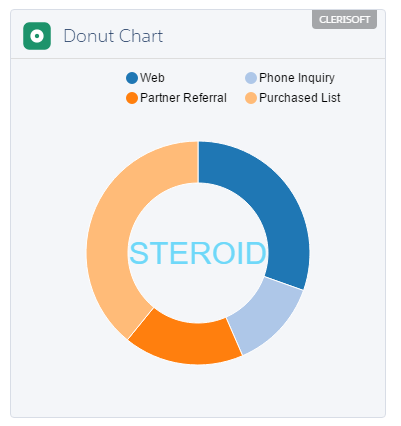
Are you the sort of admin who likes to really build things yourself? Does deeply customizing your org with dozens of prebuilt Lightning Components sound like something you want/need to do? If so, then this is the app for you. Steroid gives you over 100 Lightning ready apps that you can quickly add and power up your system. Not bad for a $15 /user/mo – or if you have a developer license, it’s free!
STEROID offers a rich library of Certified, Prebuilt, Reusable Lightning Components that deliver Productivity and Standardization. We are constantly improving STEROID and many more amazing components planned for the next release.

by Henry Abenaim | Jun 20, 2019 | Blog, Salesforce Tips
So you are looking for a new CRM for your company, and have been eyeing Salesforce. You know that it is heavily touted as the world’s #1 CRM, but when it comes to knowing which Salesforce Edition and which clouds to buy it can be pretty overwhelming.
This article is going to focus on the question of “which edition?” for Sales Cloud. After all, this is Salesforce and it only makes sense to start with the bread and butter of the CRM. The other Salesforce Clouds, such as Marketing and Service. are a topic for another day. A quick note, all editions available now are for Lightning only. For those familiar with Salesforce Classic, it is being phased out with the complete migration taking place fall of 2019.
So without further ado, let’s jump into the breakdown:

Salesforce Essentials
The Essentials edition is best for small companies that need basic CRM software with standard features.
As the most basic version of Salesforce available, this version of Salesforce gives you what you would expect, the basic functionalities and features to run a small business, and not much else.
You can store, manage, search, and analyze data but won’t have access to the extreme flexibility that it provides.
For small businesses, this can be an added benefit. By keeping the package small and light, it needs little attention or maintenance, since most small companies don’t have a dedicated IT or CRM admin anyway. To let you know just how small we are talking about, Essentials limits the number of users to 5.
What you get:
- Account, contact, opportunity and lead management
- Basic automation
- Cloud/mobile functionality
- Trailhead – Salesforce’s interactive training
Salesforce Professional
Professional is ideal for mid-sized companies with finite product or service offerings and a single sales unit. Most growing businesses will look to Professional as their answer, especially as it is the least expensive option that allows for unlimited users.
Professional builds upon the features of Essentials, give you more robust functionality, customization and integration options, while still remaining easy to use. To get the most out fo this edition though you will need to have someone with Salesforce admin experience available to spend time with the system.
What you get:
Everything in Essentials, plus:
- Increased automation, including validation rules, sales paths, lead routing and tracking and account insights.
- Lead management with various lists and campaigns
- Dedicated access to the Salesforce mobile app for iPhone and Android.
- Customizable tabs within the record pages.

Salesforce Enterprise
Enterprise, as you would also expect, is for medium to large businesses with larger sales and marketing teams. These businesses likely need custom functions, access to an API, automation, the ability to send emails, and various 3rd party integrations.
Salesforce Enterprise meets the need of complex businesses with large scale deployments. It has full flexibility and customization and has options for sales, marketers, and executives alike.
What you get:
All the features of Professional Edition plus:
- Automated lead workflows
- Action Plans with tasks, categories/hierarchies
- Email Marketing – Send marketing emails from Salesforce.
- API connections with Salesforce
- Custom Dashboards
- Privacy settings for individual users
If you are going for Enterprise, you will likely require an experienced Salesforce Admin to keep the system running smoothly. While this admin work can be outsourced to an outside consultant, it is often a good idea to have someone on staff for the quick fixes and everyday tweaks.
Salesforce Unlimited
This is for the big-time players. If you don’t know if you qualify, then you probably don’t. Unlimited edition is best for large companies with thousands of users. With Unlimited, you get 24/7 toll-free support, access to the premium knowledge database, developer support that facilitates custom code development and multiple Developer Pro Sandboxes for development and testing of new functionalities.
Companies with Unlimited generally require a large number of custom applications, multiple sandboxes, or have unique business needs.
What you get:
No limits on functionality or customization, and everything in Enterprise, plus:
- Instant access to Salesforce Support
- Unlimited custom tabs
- Larger storage limits
- Unlimited custom applications
- Multiple Sandboxes for development testing
So there you have it. In the end, the best option for you and your business depends on your needs, both short term and long term. Finally, for a quick pricing guide, and a detailed breakdown of each and every feature in each edition, take a look here.
-Ryan and the CloudMyBiz Team
Want to get started with Salesforce?
Need some custom consulting or development to enhance the Salesforce you already have?
Contact us